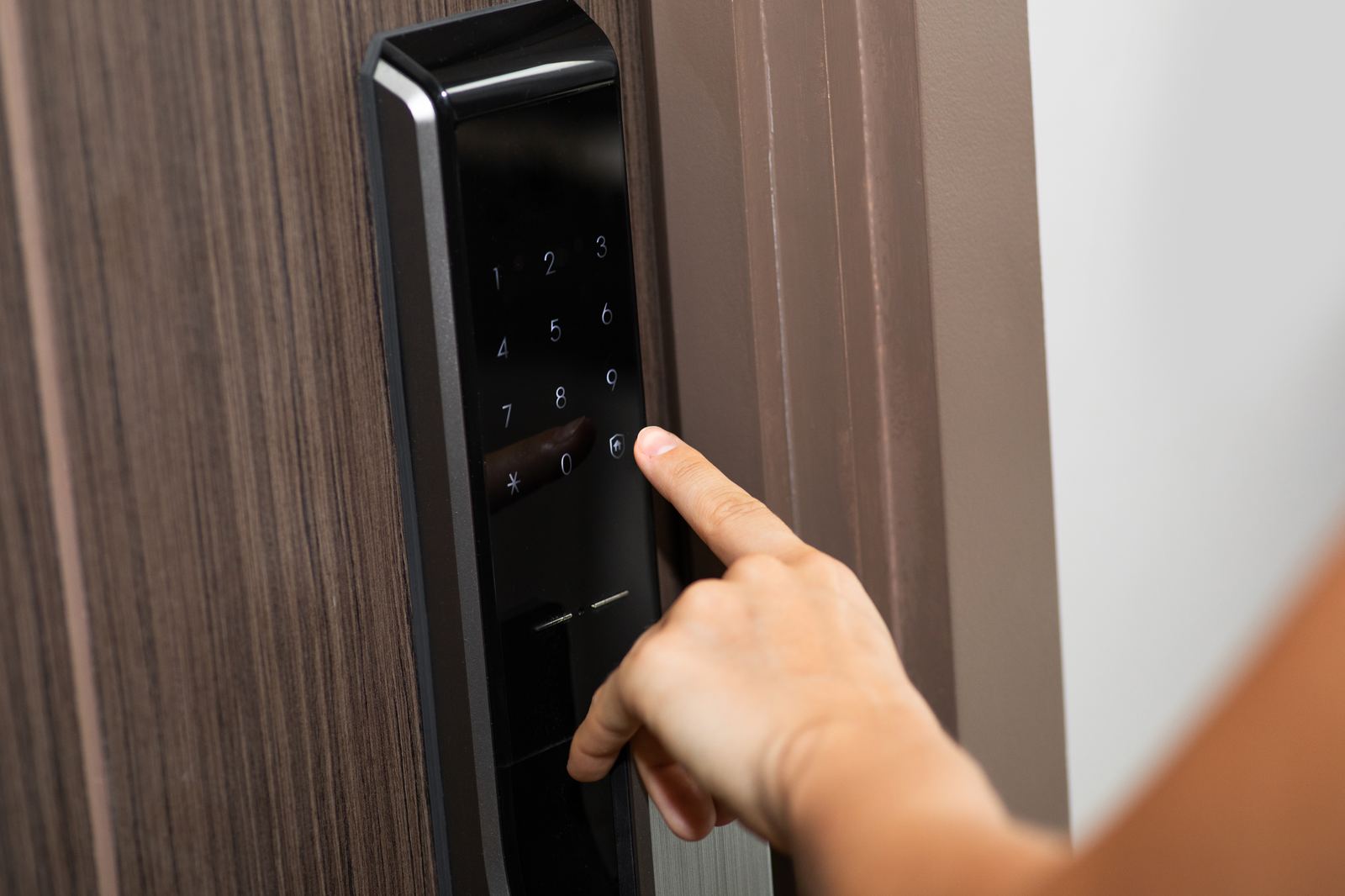
A smart lock that stops responding is usually a power problem, not a broken lock. Try an emergency jump first: many keypad deadbolts have two small contact points under the bottom edge of the exterior unit that accept a nine-volt battery, and some newer models take USB-C power instead. If your lock has a backup keyway, your physical key still works. Rule out app and hub outages before assuming the lock itself failed.
Try these free routes first
Jump it with a nine-volt battery
Most keypad deadbolts from major brands keep two exposed metal contacts on the exterior housing, usually on the underside of the keypad or behind a small cover. Press a fresh nine-volt battery against those contacts, hold it steady, and enter your code while the battery is touching. The jump powers the lock just long enough to turn the motor. Convenience stores and pharmacies stock nine-volt batteries around the clock, so this fix is often available within a short walk even late at night.
Check for a USB-C emergency port
Several newer smart locks replaced the nine-volt contacts with a USB-C port on the bottom of the exterior unit. Any phone charger or power bank with a USB-C cable can wake the lock long enough to enter your code. If you are locked out with a phone in hand, your own charging cable plus a nearby outlet, car port, or power bank may be the whole solution. Check your model's manual page online — searching the brand and model number plus the words emergency power usually surfaces it in seconds.
Use the backup keyway if your model has one
Many smart locks retain a traditional keyway, often hidden behind a rotating or snap-off cover on the exterior face. If you received physical keys at installation, one of them operates this cylinder exactly like an ordinary deadbolt, no electronics required. People frequently forget these keys exist because they never use them; check your key ring, junk drawer, or the box the lock came in. A trusted neighbor or family member holding a spare covers this scenario permanently.
Separate the app from the lock before blaming the hardware
If the keypad lights up and beeps but your phone cannot connect, the lock is probably fine — the problem is the app, your phone's Bluetooth, the Wi-Fi bridge, or the vendor's cloud service. Try the keypad code directly at the door. Restart your phone, toggle Bluetooth, and check the manufacturer's status page for outages. Cloud outages have temporarily disabled remote features on major brands before, while the physical keypad kept working the entire time.
Why is my smart lock not responding?
The overwhelming majority of unresponsive smart locks have simply run out of battery. Most models run on standard AA or CR123 cells that last months, then decline quickly, and cold weather accelerates the drop. The second most common cause is a communication failure: the lock is awake and working, but the Bluetooth link, Wi-Fi bridge, hub, or the manufacturer's cloud service is down, so the app cannot reach it. Third is a mechanical problem — a misaligned door, a swollen frame in humid weather, or a strike plate that shifted, which makes the motor stall because the bolt physically cannot travel. True electronic failure of the lock itself is the least common cause. Working through the list in that order — power, then connectivity, then door alignment — resolves most incidents without any tools and without replacing anything.
How do I power a dead smart lock from outside the door?
Look closely at the exterior unit. On many keypad deadbolts you will find two small metal contacts, usually on the underside of the housing or behind a rubber flap — those are terminals for a nine-volt battery. Press the battery firmly against both contacts, keep it in place, and enter your code; the lock draws current directly from the battery you are holding. Newer models substitute a USB-C port in the same spot, which accepts power from any phone charger or power bank. Either method gives you one or two operations of the motor, enough to get inside and replace the internal batteries properly. If your model has neither terminals nor a port, your options from outside are the backup keyway, another entry door, someone inside, or a professional. The manufacturer's support page for your exact model number lists which emergency power option it has.
How do I tell whether it's the lock, the app, or the hub?
Test the layers one at a time, starting at the door. If the keypad accepts your code and the bolt moves, the lock is healthy and the problem lives in the app, your phone, the bridge, or the cloud service. If the keypad lights up but the motor strains or stalls, suspect door alignment or low batteries rather than electronics. If the keypad is completely dark, it is a power problem. For connectivity issues, restart your phone, toggle Bluetooth off and on, and stand within arm's reach of the lock, since Bluetooth range through a door is short. Check whether the manufacturer's status page or social accounts report a service outage; several major brands have had cloud incidents that disabled remote unlocking while keypads and keys kept working normally. Unplugging and replugging the Wi-Fi bridge resolves a surprising share of remote-access failures.
What is the mechanical override and does my lock have one?
A mechanical override is any way to operate the lock with no electronics involved. On most smart deadbolts it is a conventional keyway, sometimes visible on the front, sometimes concealed behind a decorative cover that rotates or pops off. A minority of models — often marketed as key-free — have no keyway at all and rely entirely on emergency power terminals plus the interior thumbturn. The interior side of nearly every residential smart lock has a manual thumbturn, which is why a housemate, family member, or building staff member who can reach the inside of the door can always let you in regardless of the electronics. When you buy or inherit a smart lock, find out which override it has before you need it: check the box, the manual, or the manufacturer's support site, and store any physical keys somewhere you can reach while locked out — which means not inside the house.
Can a locksmith open a smart lock?
Yes, within limits worth understanding. If the lock has a backup keyway, a locksmith can work with that cylinder the same way they would on a conventional deadbolt, and on most residential models they can get the door open non-destructively. What a locksmith generally cannot do is repair the electronics, reset your account, or reprogram a lock tied to a manufacturer cloud account — those steps go through the manufacturer's support process, which verifies ownership first. For key-free models with no cylinder, options narrow: emergency power plus your code, manufacturer support, or in the worst case removing the lock, which the pro should discuss with you before touching the door. When you call, tell the dispatcher the brand and model if you know it and mention that it is a smart lock; that determines who they send and what they bring, and it lets the pro quote you accurately before any work begins.
How do I keep a smart lock from locking me out again?
Replace batteries on a schedule instead of waiting for the low-battery warning, which is easy to miss — twice a year works for most models, and pairing it with daylight-saving clock changes makes it automatic. Turn on low-battery notifications in the app and make sure they go to every adult in the household. Keep the backup key somewhere reachable from outside the house: a trusted neighbor, a family member nearby, or your workplace. Know your model's emergency power option — nine-volt contacts or USB-C — before you need it, and consider keeping a nine-volt battery in your car or bag. Check door alignment seasonally; a bolt that drags in humid months drains batteries fast because the motor works harder. Finally, give a household member or neighbor a keypad code of their own so someone can open the door for you when your phone is dead too.
When calling a locksmith is the right move
Call a professional when you have tried emergency power, the backup key is unavailable, and no one can open the door from inside. Also call if the keypad works but the bolt physically will not move — that points to a door or hardware problem worth fixing properly rather than forcing. Tell the dispatcher the brand and model, mention it is a smart lock, and ask for the total in writing before work begins. A locksmith can typically open the mechanical side and can replace or rekey hardware, but account resets and firmware problems go through the manufacturer, so keep their support number handy too.
📞 Call (866) 370-8695
Quick answers
Will a nine-volt battery really open my smart lock?
It will power it. If your model has external emergency contacts, holding a fresh nine-volt battery against them wakes the lock so you can enter your code, and the motor runs off that battery. It does not open anything by itself — you still need a valid code. Check your model's manual to confirm it has the contacts and where they sit.
My smart lock keypad works but the app can't connect. Is the lock broken?
Almost certainly not. A working keypad means the lock has power and functions; the failure is in Bluetooth, your phone, the Wi-Fi bridge, or the manufacturer's cloud service. Restart your phone, power-cycle the bridge, and check the vendor's status page for outages. Cloud incidents at major brands have knocked out remote access while doors kept working locally.
Do all smart locks have a backup key?
No. Many keep a conventional keyway, sometimes hidden behind a cover, but a meaningful number of key-free models have no cylinder at all and rely on emergency power terminals plus your code. Check your model before an emergency. If yours has keys you have never used, find them now and store one outside the house with someone you trust.
Can a locksmith reprogram my smart lock or reset my account?
Generally no. A locksmith handles the mechanical side — opening the door, replacing or rekeying the cylinder, swapping hardware. Account access, factory resets tied to a cloud account, and firmware problems go through the manufacturer's support process, which verifies you own the lock. Expect to use both, in that order, if the electronics have genuinely failed.
Why does my smart lock die faster in winter?
Battery chemistry slows in the cold, so cells that read healthy in fall can drop below the motor's needs on a freezing night. Doors and frames also shift with temperature and humidity, making the bolt drag and the motor draw more current per cycle. Fresh batteries each fall and a quick seasonal alignment check prevent most winter lockouts.
Related guides and services